

Increasing
UX Research Impact at Covenant Eyes
Designing a research repository to reduce cognitive effort, improve findability, and increase stakeholder engagement with research.

Who I Worked With
Aaron Stites, UX Researcher
Nate Schloesser, UX Team Manager
Covenant Eyes Stakeholders
My Role
Lead UX Researcher
Project Manager
Research Methods
Content Audit
Remote Focus Groups
Competitive Analysis
Remote Interviews
Tools Used
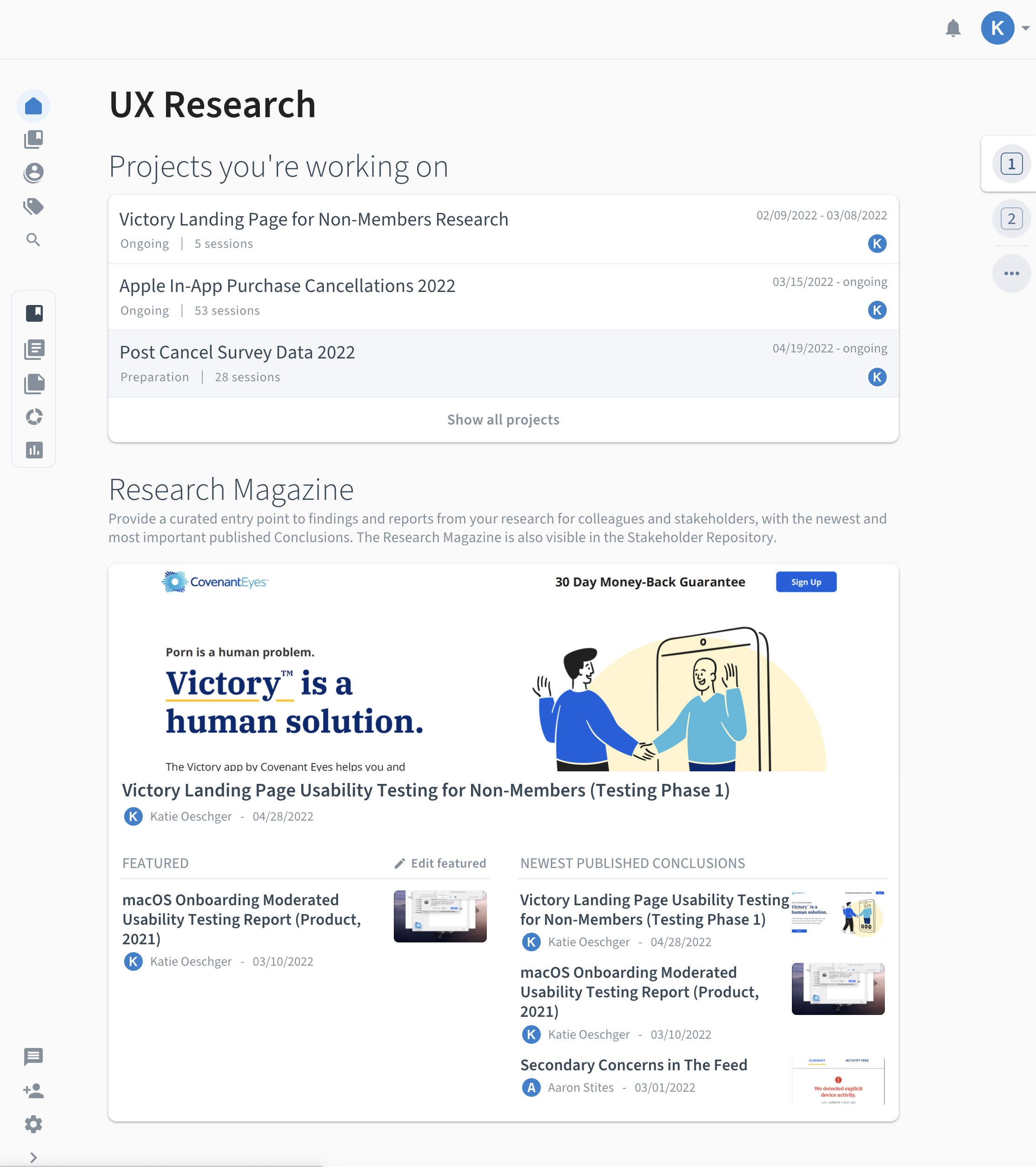
Miro
Zoom
Otter.ai
Confluence
Outlook Calendar
Condens
The Challenge
Scattered Research & Missed Opportunities
Shortly after joining Covenant Eyes as a researcher, I quickly discovered that UX research data and reports were difficult to locate and often went unused. Data lived across multiple tools with no consistent organization. Stakeholders reported frustration with lost research, duplicated efforts, and missing access to research that could guide their work. The effort required to access insights created cognitive friction that prevented their use.
To address this, I led a cross-functional initiative to develop a centralized Voice of the Customer (VoC) repository designed not just for storage, but for action.
My behavioral design goal was to reduce the cognitive effort required to find insights and increase the salience, clarity, and usability of research, empowering stakeholders to act on data with confidence.
Design Process
Discovery
Content Audit
Understanding the Current State
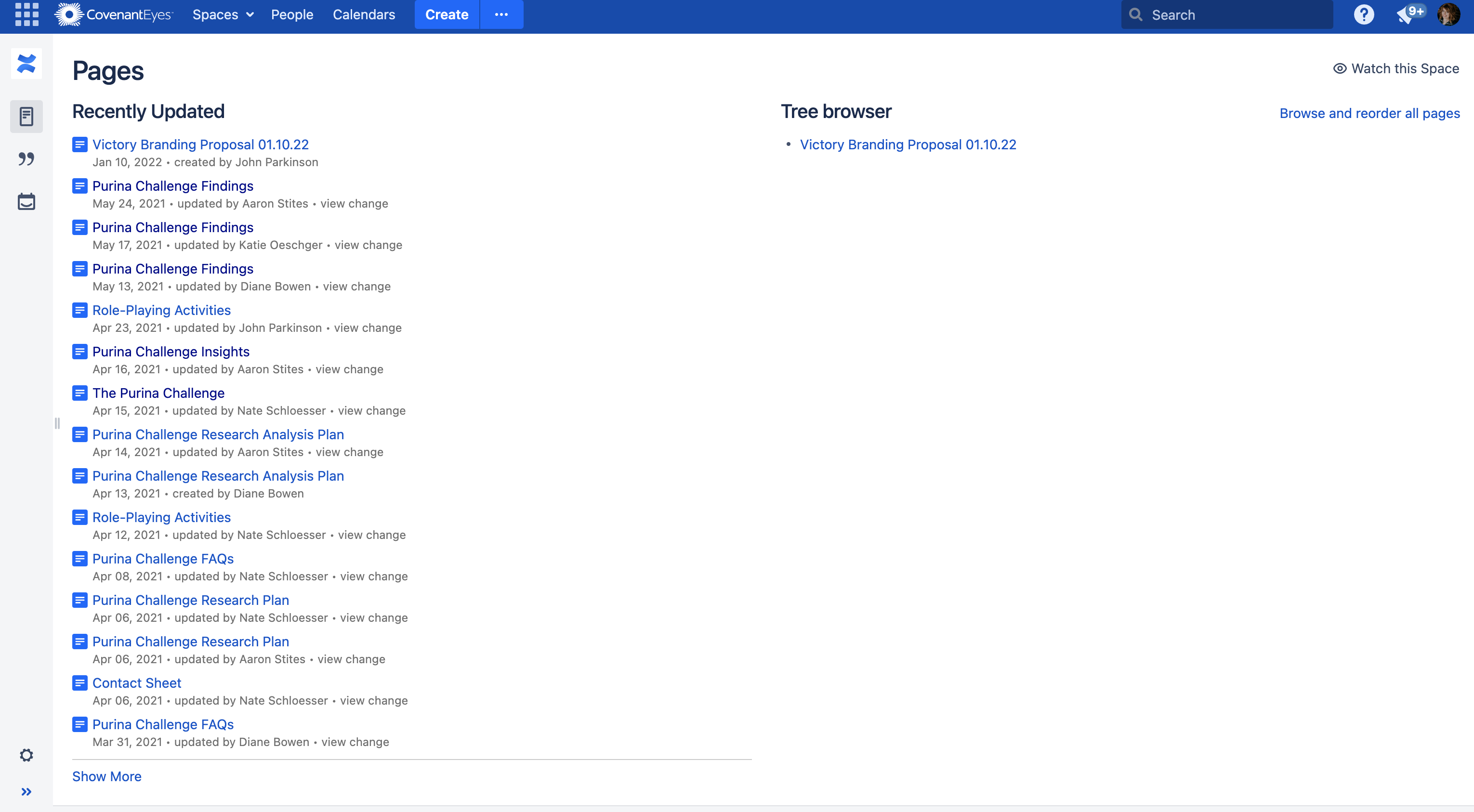
I began by auditing how information was currently documented and shared across the organization.
Most departments used Confluence, including the UX Team. Confluence was used as a generic dumping ground for dense, disorganized text without a standardized information architecture. The problem wasn’t the tool. It was the lack of structure, consistency, and attention to information salience.

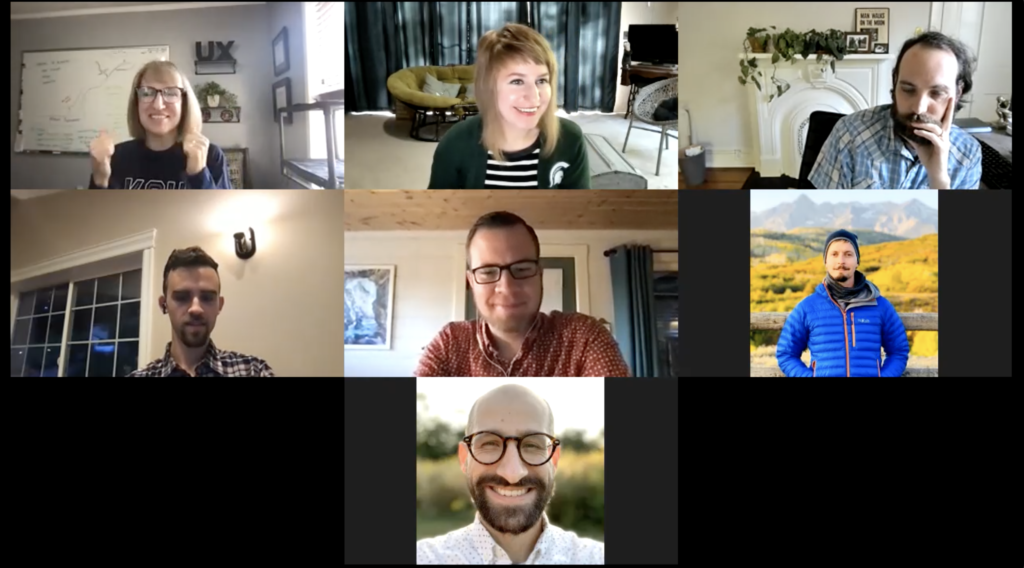
I led 4 remote focus groups with 20 stakeholders across Product, Marketing, Tech, and Business Intelligence to uncover their goals, needs, workflows, and barriers related to using UX research. Participants fell into one or more of the following use cases:
- Individuals who Rely on Research to Make Decisions
- Partners Who Help Support Our Research
- Executives
Follow-up 1-on-1 interviews were conducted with several participants to expand upon topics discussed during the focus group(s).
Key Behavioral Insights
Goal-Oriented Search
Stakeholders look for insights with a specific question in mind, especially at the start of new projects.
Two Modes of Use
The data suggested there were two main usage patterns:
- Quickly scanning key insights, with the option to dig deeper if needed.
- Deep dives into the raw data to solve new, complex problems.
There was a high interest and potential value in using our pre-existing raw data to answer new research questions. However, the raw data wasn’t accessible and or easily searchable.
Company Wide Research Challenges
During the focus group discussions with Covenant Eyes Marketing and Business Intelligence teams, we learned that although each team uses data differently, we all had been experiencing similar challenges such as:
- We all have challenges with data and we’re independently working on solutions for our data to be more easily consumed.
- None of our teams had a formal research repository. Our data is scattered across tools.
- No standardized naming conventions and taxonomy were used.
- We have experimented with tools.
Learned Helplessness
Research was too hard to find. This caused many stakeholders to skip searching altogether and rely on asking researchers directly.
Desire for Trends
Stakeholders wanted to see big-picture trends across projects, but siloed tools made this nearly impossible.
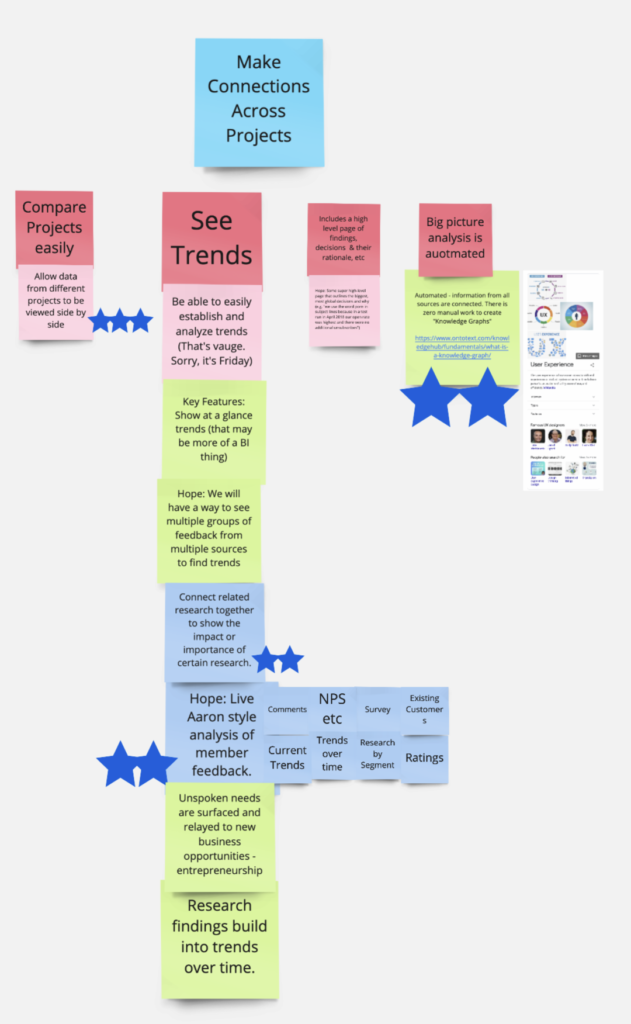
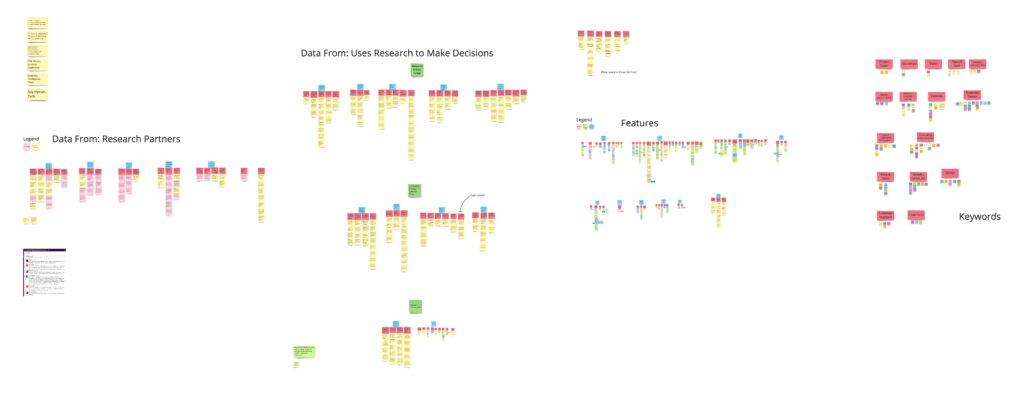
Note: Participants were each given 5 stars to vote on what features mattered the most to them. (1) Seeing trends (shown above) and (2) research’s potential impact on decision making received the most votes.
Ideation
Research Repository
Designing a System that Supports Decision Making
Cognitive load and lack of salience created a barrier to independent engagement with research. This shaped our problem framing: How might we create a low-friction, self-service research experience that supports users' natural goals and workflows?
Using insights from the research, I developed a set of clear system requirements:
- Centralize research to and make it searchable
- Provide intuitive self-service access to both reports and raw data
- Streamline and standardize processes to reduce researcher workload and establish consistency
- Build flexible pathways for both surface-level and deep research exploration
We needed to decide whether to adopt an internal or external tool for the research repository. Since the research groups were experiencing and trying to solve similar problems across the company, it was possible, that we could solve this problem collaboratively with the same solution.
During the focus groups, many of the participants mentioned their experiences using Confluence. Table 1 shows the disadvantages outweigh the advantages of using Confluence for our repository.
I and our other UX researcher also met with each research group and the leader of our company's tech team to learn about their current tools (e.g., Oracle, Hubspot) and whether they could be an effective solution for this project.
We learned:
- none of our pre-existing tools could provide all the essential functionality we needed.
- Building an internal tool would be time-consuming and not cost-effective.
Table 1. Confluence Pros and Cons Identified by Participants
| Confluence Pros | Confluence Cons |
|---|---|
| It's the company standard | Some stakeholders don't use Confluence or stay in their own space |
| Everyone has access | Hard to find content |
| It has a JIRA integration | Content deleted without authorization |
| Search functionality | Some participants have a mistrust in its search functionality |
| Analytics plug-in | Everyone's space within Confluence looks different |
Competitive Analysis
Exploring Potential Solutions
I evaluated 15+ research repository tools currently sold on the market across 75 criteria, focusing on effort reduction, findability, and flexibility.
Data were collected from vendor websites, help documentation, sales meetings, and free trials. Based on our needs, we narrowed down our selection to three potential tools: EnjoyHQ, Dovetail, or Condens. A brief summary of each tool's pros and cons is listed below.

EnjoyHQ
$1,000Per Month
Show trends in data by graphing tags
Customizable graph dashboard
Largest number of native integrations
Can create rules to automate tagging
Automatically conducts sentiment analysis
Unlimited free transcriptions
UI hard to use
Analysis tool doesn't meet our needs
No landing page to showcase projects
No participant database
Poor customer support

Dovetail
$900Per Month
Show trends in data by graphing tags
Easy to use UI
Customizable landing page
Document read receipts
Participant database limited to 1,000
Pricing model for transcript hours
Integrations through 3rd party Zapier
Recommended

Condens
$135Per Month
Show trends in data by graphing tags
Easy to use UI
Dedicated stakeholder area for findings
Participant database - unlimited # of users
Can build video clip affinity clusters
Survey analysis functionality
Analyze & build reports concurrently
Great customer support
Pricing model for transcript hours
Integrations through 3rd party Zapier
Recommendation: Purchase Condens
Based on our team's needs, budget, research, test trial experiences, and stakeholder feedback, I recommended that we move forward with the purchase of Condens.
For our team, not only was Condens the most cost-effective option, but it also best met our needs with its:
- Dedicated stakeholder space for easy browsing
- Easy-to-use interface
- Global tag support for cross-project pattern detection
- Quick analysis and report-building functionality
Condens would allow us to make UX research more accessible, while reducing effort, increasing reward, and supporting future behavior change.
Design
Setting Up the Repository
Selecting and purchasing Condens was just the beginning of this project. Besides Condens basic infrastructure, the repository began as a blank slate. Remediating a research repository is a costly, time-intensive task, so I wanted to make sure we set up the repository for success from its inception. Setting up Condens wasn’t just technical - it was behavioral, to ensure the continued use by stakeholders and researchers.
The Repository's behavioral design goals were:
- Meet users expectations and provide value through data-driven metadata design
- Reduce friction through streamlined organization
- Design a choice architecture that supports two modes of research consumption (included)
- Increase the salience of insights for quick retrieval
- Design streamlined templates and processes for researchers to ensure the completeness and continuation of the repository
- Enable long-term behavioral spillover through trend discovery and reuse
Content Strategy
Designing Content Users Need
One of our goals for this project was to increase the use of our research findings. The supplemental metadata needed to be useful. Table 2 shows the content needs that emerged from the focus group research.
Table 2. Stakeholder Research Content & Metadata Wishlist
| Report Preview Metadata | Content Needed in a Research Report | Content Organization |
|---|---|---|
| Date research conducted | Executive summary | Projects categorized |
| Abstract | Who conducted the research | Connects with JIRA help desk |
| Project has a meaningful name | Participant Demographics | Shareable |
| Tags | Methodology and test design | Browse and search functinality |
| Concepts tested | Links related projects | |
| Research findings & links to raw data | Makes connections across projects | |
| Learning cards | Consistent taxonomy and naming nomenclature used |
Global & Project Tags Setup
Which Themes Should We Track?
Covenant Eyes UX research had been siloed across multiple tools and projects. Although I had noticed recurring themes across our scattered data sets, there wasn't an efficient way to aggregate and quantify the data. The global tag functionality (i.e., use the same tags across projects) in Condens would solve this problem!
My UX research colleague had previously developed a tagging system, which became the foundation for our new global tagging infrastructure. These tags aligned with existing monthly surveys and business goals.
Project-specific tags were added on a project-by-project basis.
Information Architecture of Metadata
Streamlining Metadata Entry & Searchability
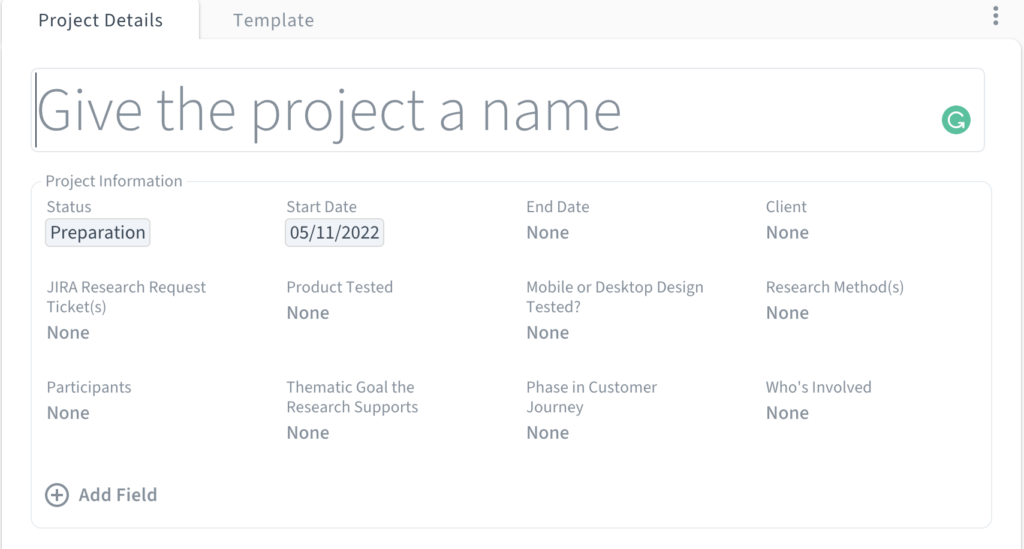
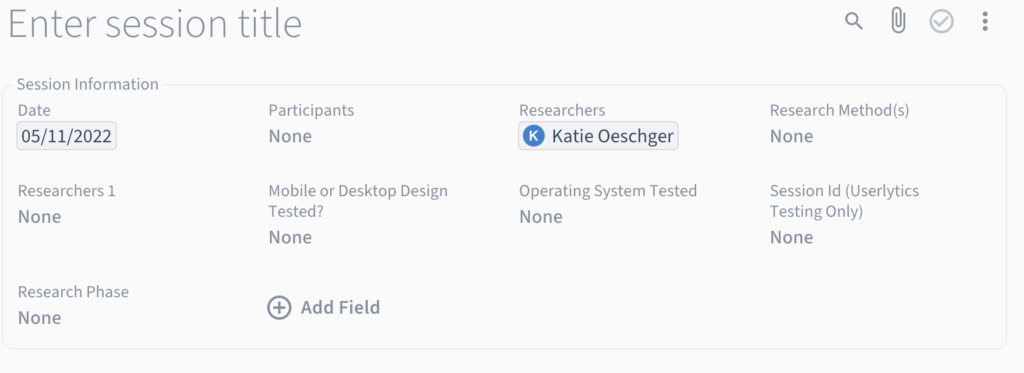
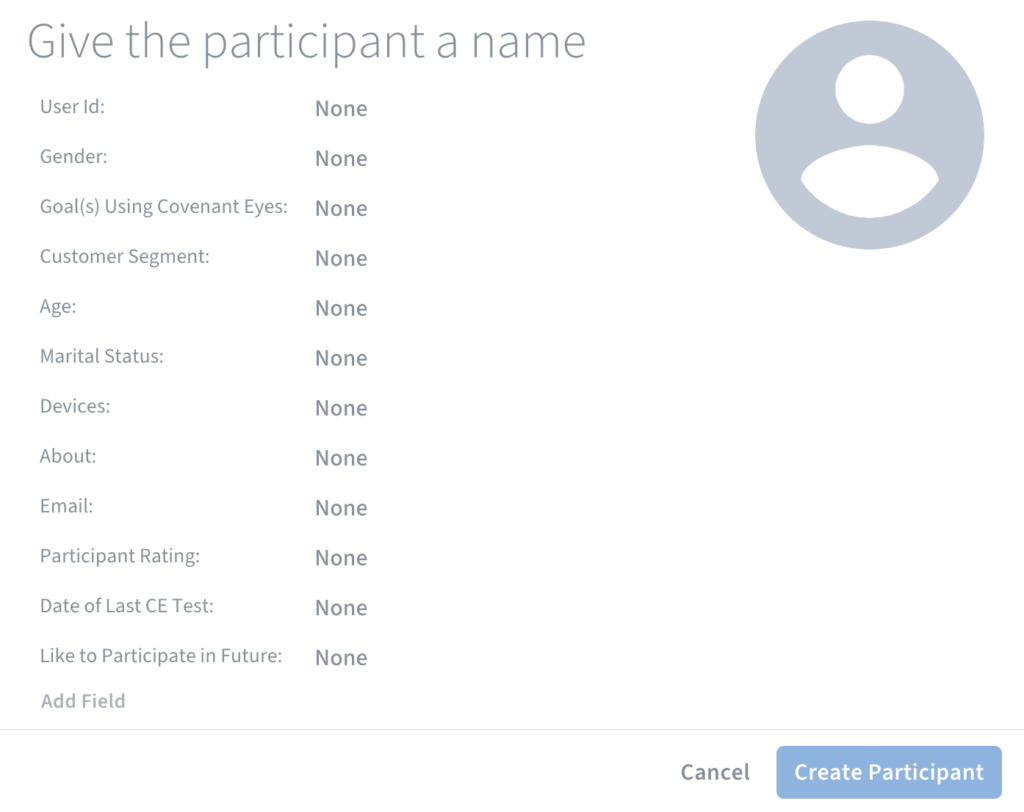
The biggest challenge in designing the research repository was creating an information architecture for the metadata to reduce researcher entry effort while maximizing searchability. In Condens, metadata exists at 3 levels (i.e, project, research session, and participant profile) and inheritance rules apply. This means that research sessions inherit project-level metadata, and participant metadata inherits both project and the participant's research session data.
We knew from research that our stakeholders wanted a self-service, dedicated space for research, and which metadata they needed. I wanted to make sure that the findings and data nuggets would be easy to search, use, and find using metadata, while also making data entry quick, easy, and non-redundant for researchers.
With advice from Condens experts, data from stakeholder interviews, and usability testing, I was able to assign, streamline, and optimize metadata for each of the 3 levels (shown below). Metadata inheritance and structured tagging made insight retrieval significantly easier, eliminating “Where do I even start?” paralysis.
Project Metadata
Research Session Metadata
Participant Metadata
Developing Training & Resources
Onboarding the UX Team into Condens
I developed a remote training session and reference materials to align our team on the tool, establish consistency of use, and teach best practices.
Empowering the team to use the tool independently increased ongoing engagement and reduced reliance on the research team as gatekeepers.

Conclusion
The research repository is live and fully operational. All the UX research data and documentation have resided in this research repository since.
Now our research is accessible to everyone at the company. We've found that Condens has been very well received by stakeholders. Stakeholders now use the repository to search, tag, and reuse insights. For example, with a smile on his face, our project manager told us, "this report is perfect!" Our UX designers are also eager to use the tagged raw data for upcoming projects. Although the data tagging is still in its infancy, it will continue to offer more and more value as we add more tagged data into the repository.